
Resetting Wi-Fi Configuration / Connecting to a different Wi-Fi network
Here’s a video guide: AirGradient Open Air - Reset Wi-Fi Configuration
You can perform a factory reset by pressing and holding the BOOT button on the bottom of the device for about 10 seconds.
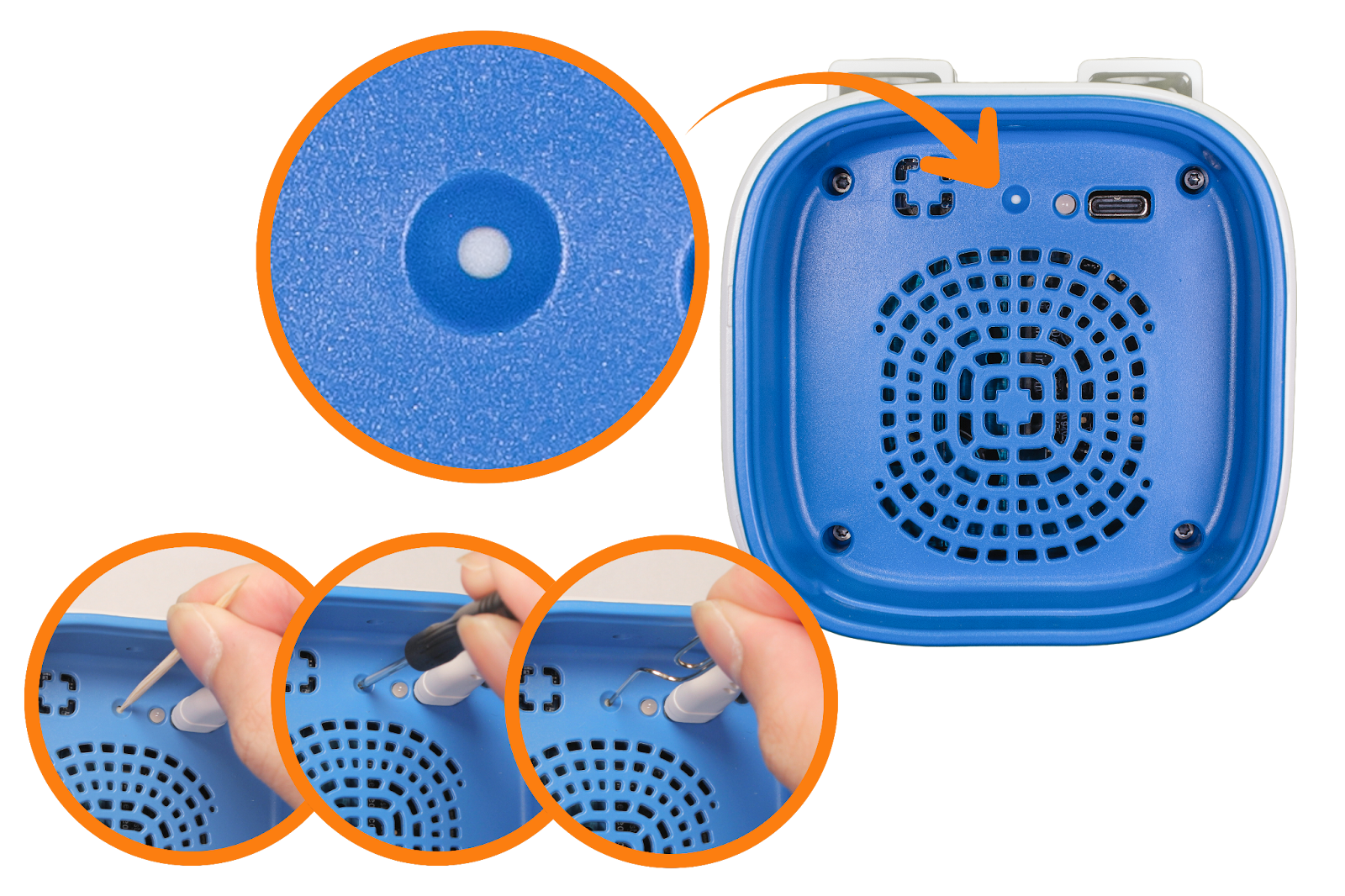
The LED on the device will blink blue.
Please note that the data and settings made via AirGradient Dashboard won’t be deleted while performing a factory reset.
Note for non-dashboard users: In case you don’t use your AirGradient Open Air with the AirGradient Dashboard (i.e., local only via Home Assistant, Local API), all configuration (including correction algorithms) made via these platforms will be erased. You will need to manually re-configure your AirGradient Open Air again on these platforms after the device is reset and connected to the new Wi-Fi network.