
CO2 Sensor Calibration
CO2 sensors rely on an internal algorithm called Automatic Baseline Correction (ABC) to maintain calibration.
How ABC Works
CO2 sensors naturally drift over time. ABC compensates for this by making a key assumption:
At some point during each cycle, the sensor will be exposed to fresh outdoor air (~400 ppm).
-
The sensor records readings over a defined period (e.g. over an 8 day period by default, this period can be changed in the dashboard, Dashboard > Locations > Admin > Edit Calibration > CO2 > Set ABC Duration)
-
It identifies the lowest reading during that period
-
That value is assumed to represent fresh air
-
The sensor adjusts its baseline so that value equals ~400 ppm
When This Works Well
ABC performs well when the sensor regularly encounters fresh air: outdoor installations, indoor environments with regular ventilation.
Example: Your AirGradient ONE is in your living room. You regularly open windows or doors during the day. Fresh air regularly enters the space and CO2 drops close to outdoor levels of ~400–420 ppm.
Result: ABC keeps the sensor calibrated automatically
When This Does Not Work Well
Problems arise when the sensor never sees outdoor air. For example:
Your AirGradient ONE is in your bedroom. You sleep there every night with the door and windows closed, and your pet also stays in the room. During the night, CO2 levels rise from breathing. During the day, even when you’re not in the room, your pet continues to produce CO2, and because the space isn’t ventilated, levels never drop to true outdoor air.
Instead of falling to ~400 ppm, the lowest level might only reach around 500–600 ppm. The sensor assumes this is fresh air and adjusts its baseline to it. Over time, this shifts all readings downward, so the CO2 levels shown are consistently lower than the actual values. The result is systematic underestimation over time.
Manual Calibration
Manual calibration is possible, but it must be done carefully. You can calibrate the CO2 sensor in two ways:
The first way is to place the device in fresh air (ideally outdoors or near a fully open window) and leave it there for several hours. This allows the ABC algorithm to naturally reset the baseline when it detects the lowest CO2 level.
The second way is to use the Request CO2 Calibration button in the dashboard. This tells the sensor to treat the current air as ~400 ppm, so it’s important that the device is in fresh air when you do this.
To use this option, go to:
Dashboard > Locations > Admin > Edit Calibration > CO2 > Request CO2 Calibration
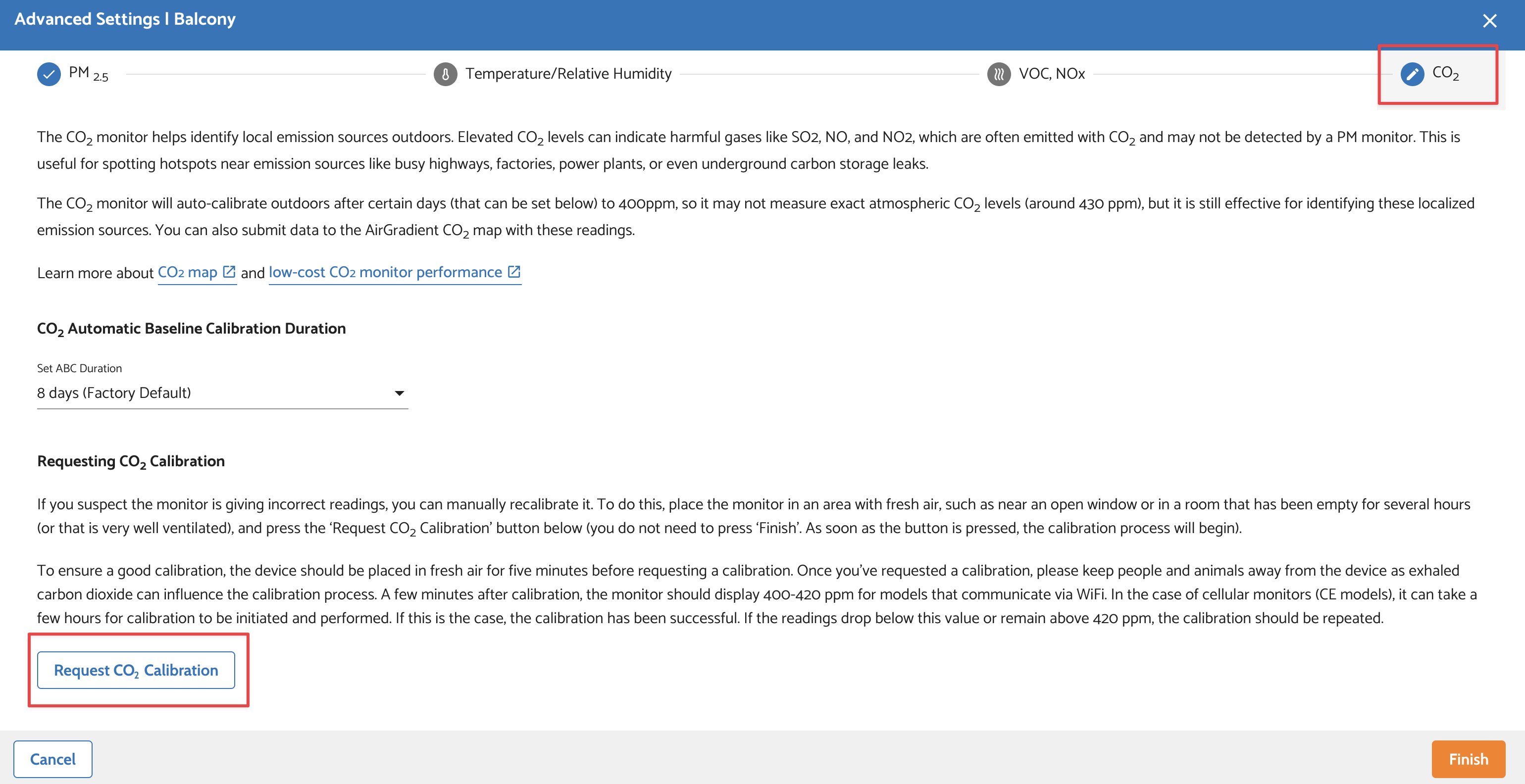
Before pressing the button, place the device in fresh air for a few minutes and keep people or pets away, as breathing can affect CO2 levels. After calibration, the reading should settle around 400–420 ppm.
Once calibration is done, you can move the device back to its normal location. The CO2 baseline is stored and will remain even if the device is powered on/off.
If done incorrectly, manual calibration can make readings worse, not better.