
Where can I find Serial Number of my AirGradient Open Air?
The method to find your AirGradient device’s serial number depends on whether you have a fully assembled unit or a DIY kit.
Fully Assembled Devices
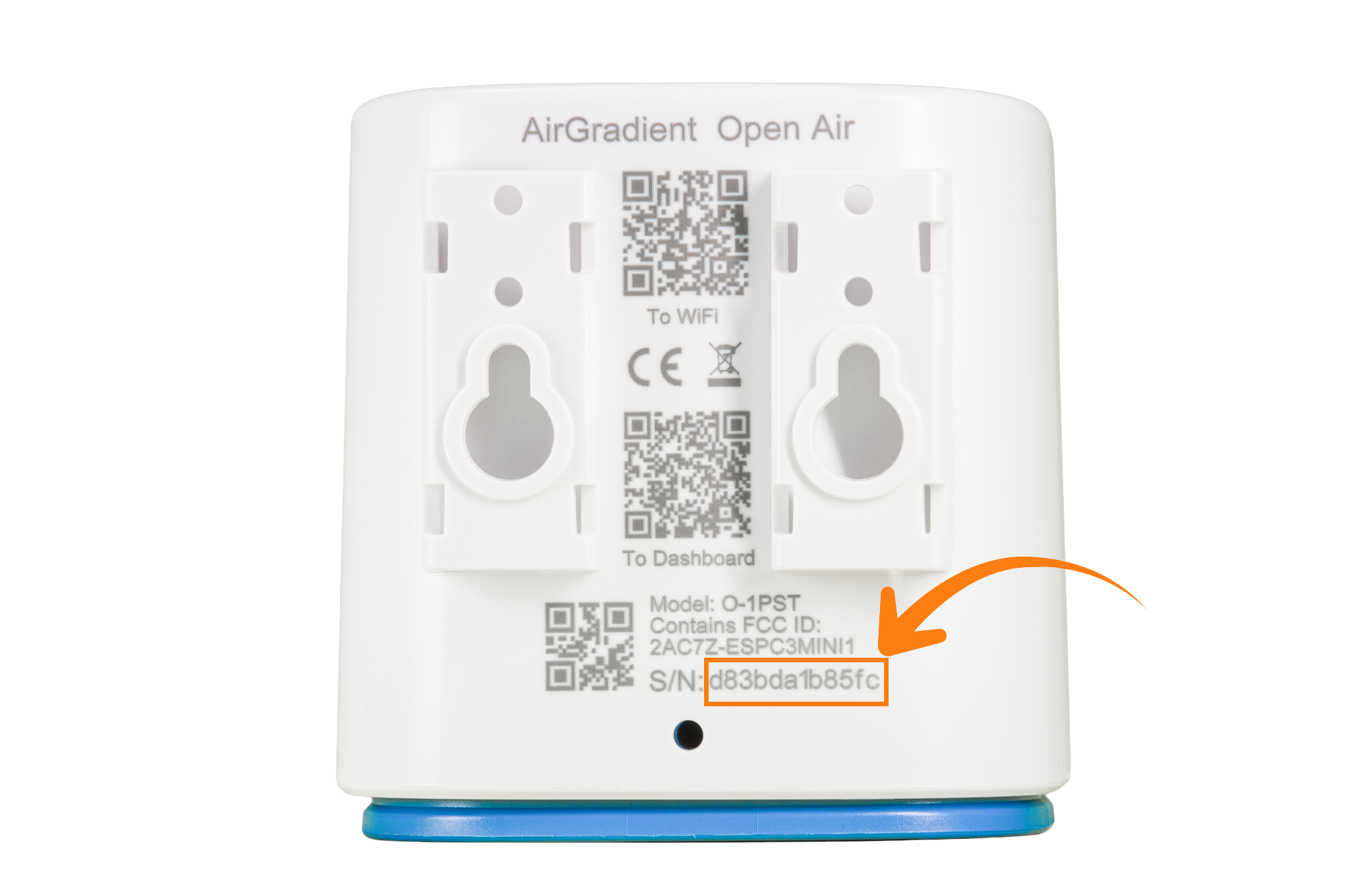
For fully assembled units, the serial number is printed on the back of the device.
DIY Kits
There are two ways to identify the serial number for DIY kits:
Method 1: Via Wi-Fi Hotspot
- Reset the Wi-Fi credentials by pressing and holding the reset button for 10–15 seconds: AirGradient Open Air - Resetting WiFi Configuration
- Note: This will remove your current Wi-Fi settings, and you will need to reconnect the device afterward.
- Open the Wi-Fi settings on your phone or computer.
-
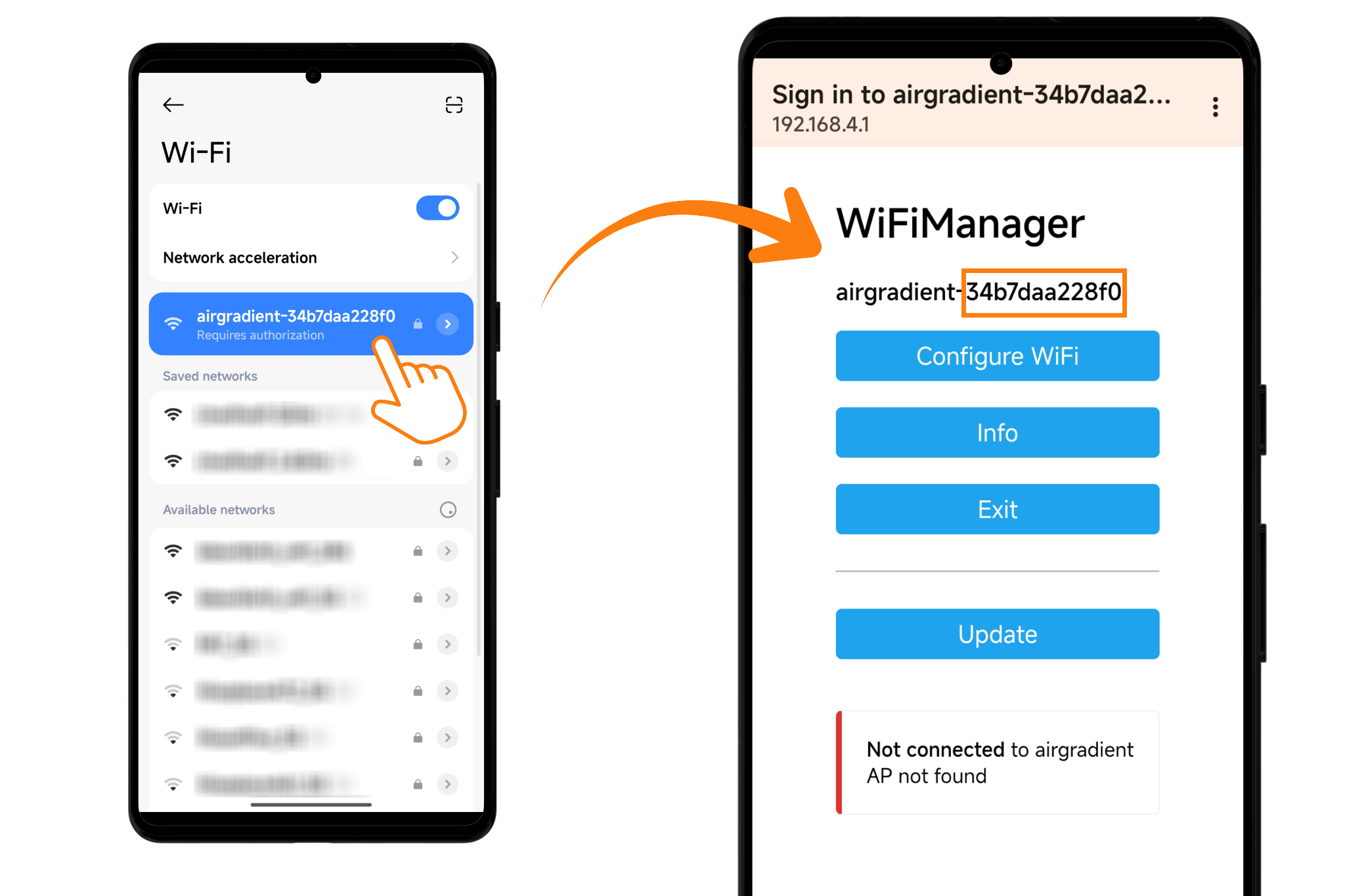
Look for a network named:
airgradient-<yourserialnumber> - The serial number appears after
airgradient-. On some phones, the SN may be truncated due to display size limitations, in that case, continue following the steps below. - Connect to this Wi-Fi network, password: cleanair
- Once connected, either:
- Wait for the Wi-Fi portal to open automatically, or
- Manually go to
192.168.4.1in your browser
- The full serial number will be displayed in the portal.
- Note it down.
Method 2: Via Device Logs
- Connect your AirGradient Open Air to your computer using a USB cable.
- Open Google Chrome or Microsoft Edge (or any Chromium based browser)
-
Go to:
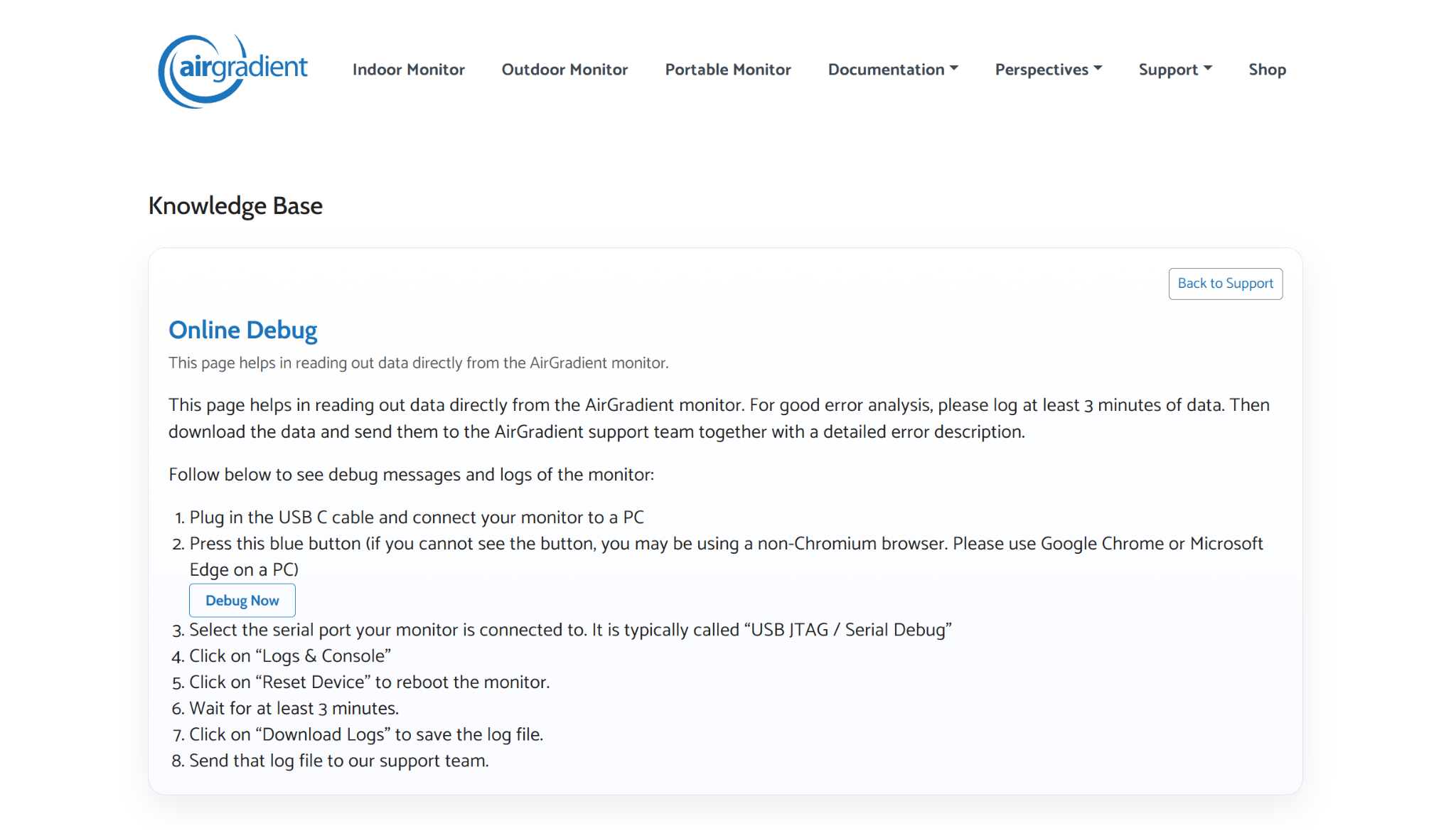
https://www.airgradient.com/documentation/kb/kb-diy-online-debug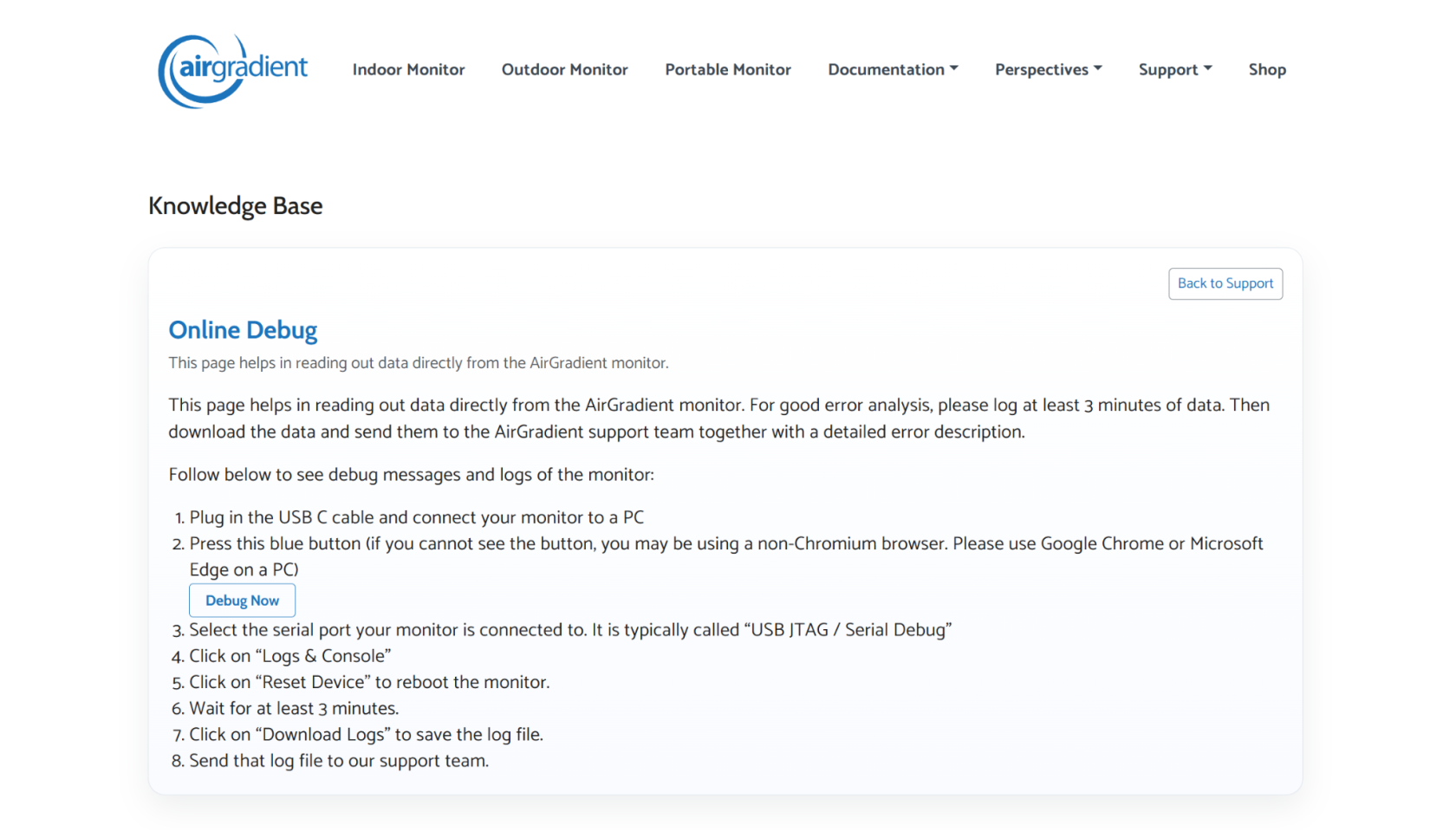
- Click the “Debug Now” button.
- In the pop-up window:
- Select the device labeled “USB JTAG/Serial debug unit…”
- Click “Connect”
- When prompted, select “Logs & Console”
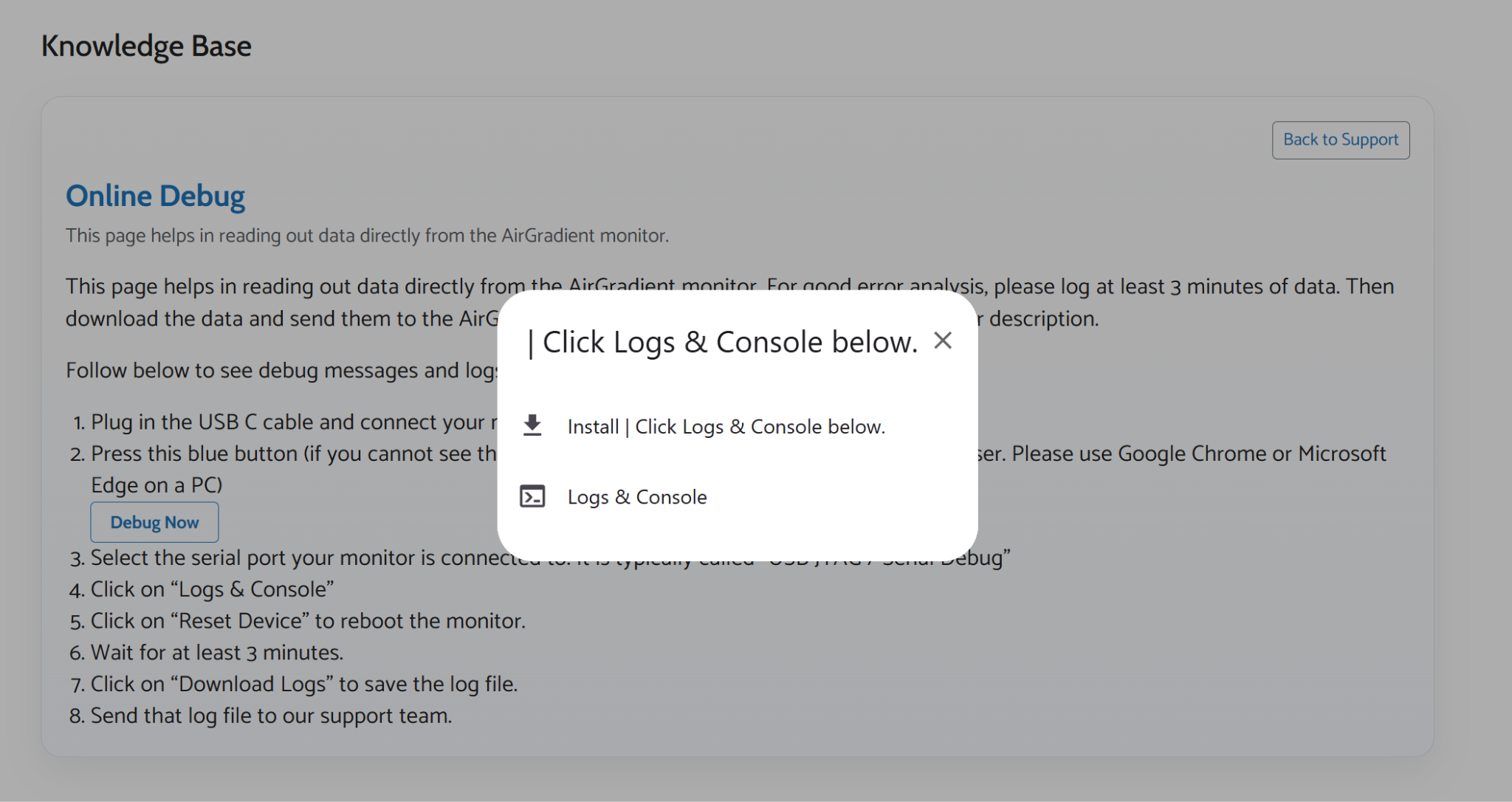
- A log window (black background) will appear.
- Click the “Reset Device” button at the bottom right.
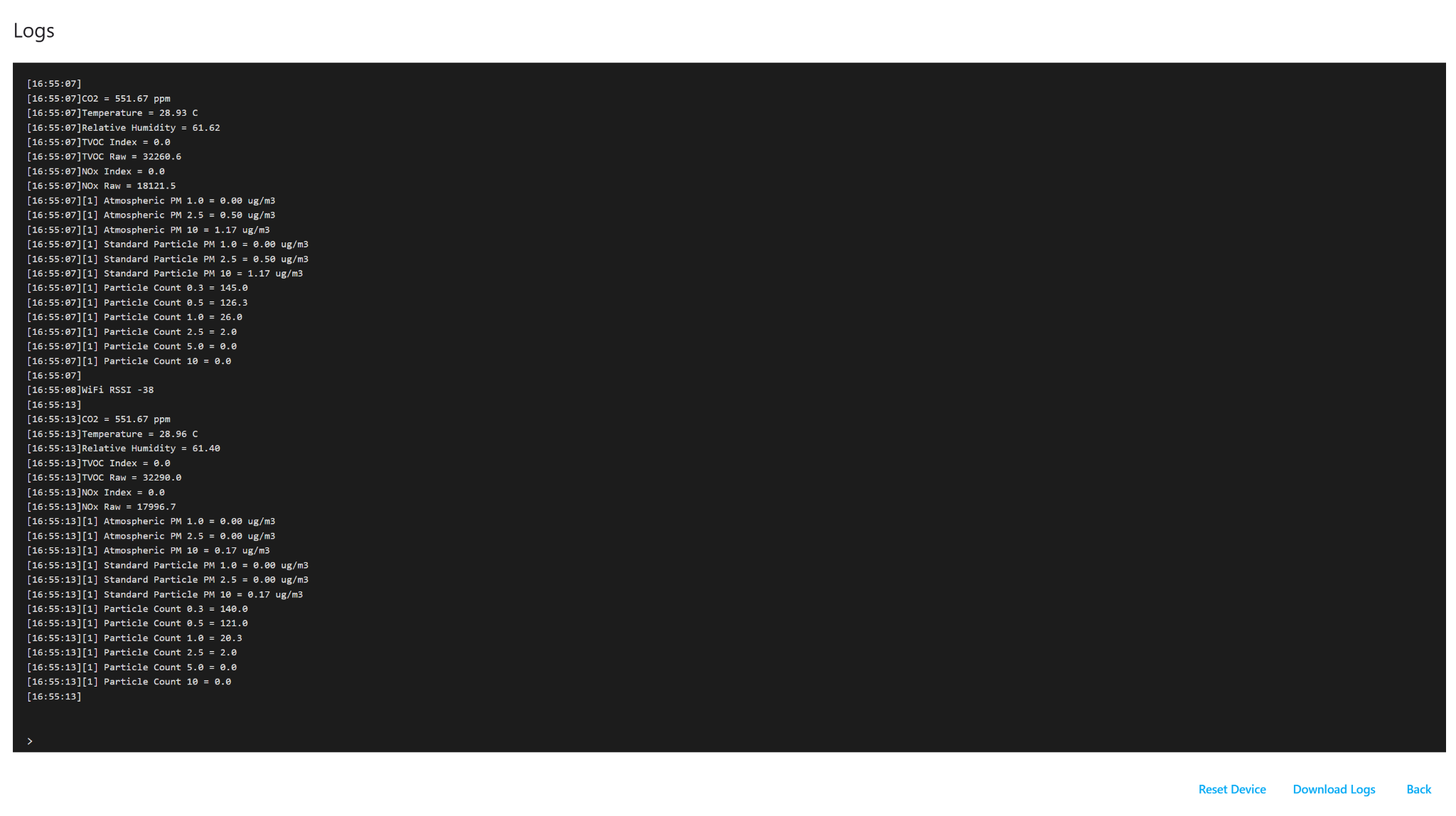
- The device will reboot, and logs will start appearing.
- Look for the line containing:
-
Serial nr:
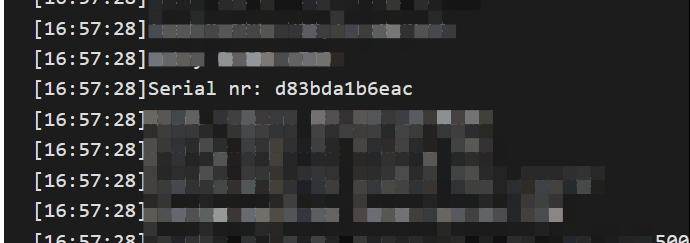
- The value shown after this is your device’s serial number.
-
- You can use Ctrl + F to quickly find it.
- Note it down.
No comments to display
No comments to display