
How to export data from the AirGradient Dashboard
You can export your monitor data directly from the AirGradient Dashboard.
Where to find it
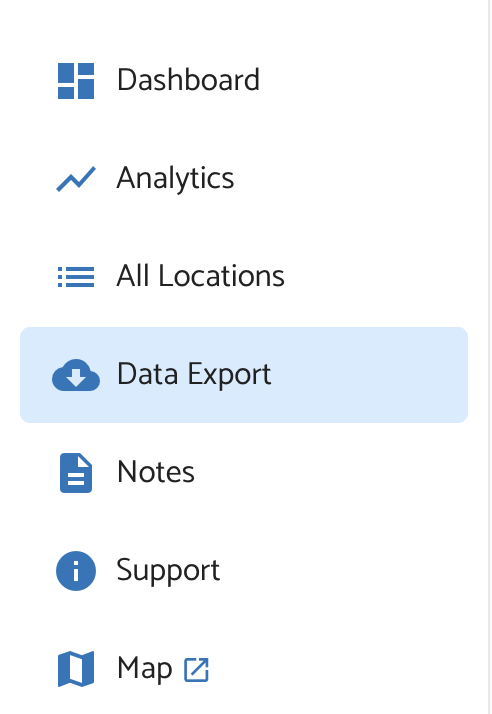
Open the AirGradient Dashboard and go to the Data Export tab from the sidebar menu.
There, you’ll see these options:
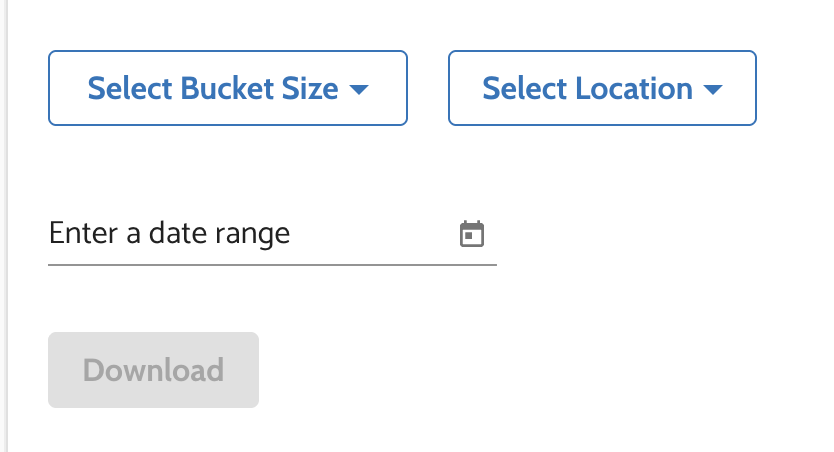
- Select Bucket Size
- Select Location (you can select "All Locations" as well)
- Select a Date Range, keeping in mind the storage limitations for the chosen bucket size below.
Once these are set, click Download to export the data.
Bucket size options
The available bucket sizes are:
- Un-Bucketed
- 5 Minute Buckets
- 10 Minute Buckets
- 30 Minute Buckets
- 1 Hour Buckets
- 1 Day Buckets
- 1 Week Buckets
- 30 Day Buckets
- 1 Year Buckets
How bucket size affects the exported data
Un-Bucketed
If Un-Bucketed is selected, the exported data will be raw, uncalibrated data showing readings directly from the monitor. The default retention period for un-bucketed data is 10 days.
- If you need a longer retention period for research purposes, please contact us about extended data retention.
Bucketed data
If any other bucket size is selected, the exported data will include both raw and calibrated data.
- The data is averaged over the selected bucket duration
- Bucketed data with a resolution smaller than 1 hour (5,10,30 minute) is available for up to 150 days
- Data with a resolution of 1 hour or larger is currently retained indefinitely
NO₂ / O₃ data for Open Air Max
To export NO₂ / O₃ data captured by the Open Air Max, select:
- Un-Bucketed, or
- 5 Minute Buckets
These are the currently supported export resolutions for those parameters.
Need help understanding the exported parameters?
For a detailed explanation of the air quality parameters included in exported files and how to interpret them, see our Air Quality Parameters Guid
No comments to display
No comments to display